For remote work, online classes, and staying connected with loved ones, a reliable webcam with strong video and audio matters. The following cameras are among the best options for video calls, blending sharp imagery, helpful software, and practical features like auto light correction and built-in mics. Each pick below is evaluated on video clarity, microphone quality, ease of use, and compatibility with popular platforms such as Zoom, Microsoft Teams, and Google Meet.
Summary of Selected Products
| Product | Key Strength | Platform Compatibility |
|---|---|---|
| Logitech C920x HD Pro | Full HD 1080p, excellent light correction | Teams, Zoom, Google Meet |
| Logitech Brio 101 | Auto Light Balance, built-in mic | Zoom, Teams, Google Meet |
| NexiGo N60 | Adjustable FOV, software controls | Zoom, Skype, Teams |
| EMEET C960 4K | True 4K with dual mics | Zoom, Teams, Skype |
| EMEET 1080P C960 (alternative) | Dual noise-canceling mics, privacy cover | Video calls in various apps |
Logitech C920x HD Pro PC Webcam

The Logitech C920x HD Pro delivers Full HD 1080p video at 30fps with sharp detail and natural colors. It includes automatic light correction to brighten a scene in dim environments, helping you maintain a professional look during calls. The autofocus feature ensures the subject remains crisp as you move. Its compatibility with popular video platforms makes it a reliable baseline camera for home offices and small conference rooms.
Key features include HD lighting adjustment, autofocus, and compatibility with Microsoft Teams, Google Meet, and Zoom. The camera is also positioned as a flexible desktop or monitor webcam, suitable for streaming and everyday communication. For users seeking a straightforward, well-rounded webcam with strong software support, the C920x remains a solid choice.
Logitech Brio 101 Full HD Webcam

The Brio 101 improves on everyday video calling with Auto-Light Balance, offering RightLight technology that reduces shadows and boosts brightness up to 50%. This helps users appear more natural and evenly lit, even in suboptimal lighting. The built-in microphone duplicates the convenience of a standard webcam microphone, ensuring others hear you clearly during meetings. The camera is designed for meetings, streaming, and casual work from home use, with straightforward setup via USB-A.
Its compact form, modern optics, and dependable performance across Zoom, Microsoft Teams, and other platforms make Brio 101 a practical upgrade for those who want clearer video without complex configuration.
MTORED USB HD 1080P Webcam

The MTORED webcam offers Full HD 1080p video with a wide-angle lens for broad framing, making it a solid option for group calls or presentations. Automatic light correction adjusts brightness and color as lighting changes, preserving image quality. The built-in microphone and rotatable tripod provide flexible setup, while a privacy cover helps maintain privacy when the camera is not in use. The camera is easy to mount on laptops or desktops and travels well for remote workers.
With its emphasis on image quality, color accuracy, and practical privacy features, MTORED is suitable for users who frequently switch between single and multi-person calls and want reliable performance with simple setup.
EMEET C960 4K Webcam

The EMEET C960 4K webcam emphasizes true 4K capture with a Sony sensor and a PDAF auto-focus system. Dual AI noise-canceling microphones help isolate the speaker’s voice, reducing ambient noise for clearer conversations. Auto light correction adapts to changing lighting, supporting clear visuals whether you’re near a window or in a dim room. The 73° field of view keeps you in frame, while privacy features and easy plug-and-play setup enhance usability for teams and educators alike.
NexiGo N60 1080P Webcam

The NexiGo N60 provides a solid 1080p video experience with a wide 110° field of view and a fixed focal length. This makes it well suited for presenting to small groups or streaming demonstrations. The software allows you to adjust exposure and zoom digitally, helping tailor the shot to your workspace. A built-in noise-canceling microphone further improves audio quality, making it a balanced choice for frequent video calls across Zoom, Skype, and Teams.
Logitech C270 HD Webcam
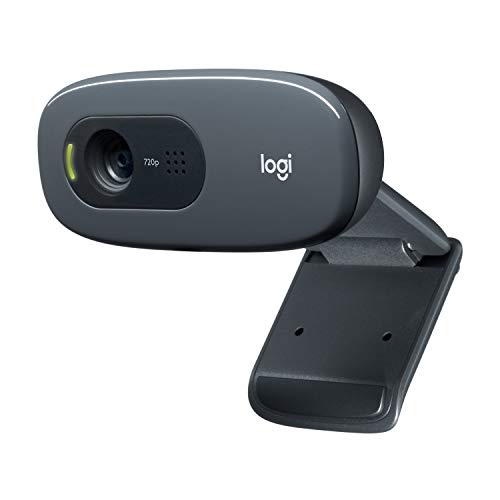
The Logitech C270 offers 720p video with automatic light correction for clear video calls. Its diagonal 55° field of view makes it a compact option for basic setups. The built-in microphone provides reasonable voice pickup, suitable for casual meetings or quick chat sessions. This camera is a budget-friendly entry point for users who need dependable performance without extra features.
EMEET 1080P Webcam (C960)
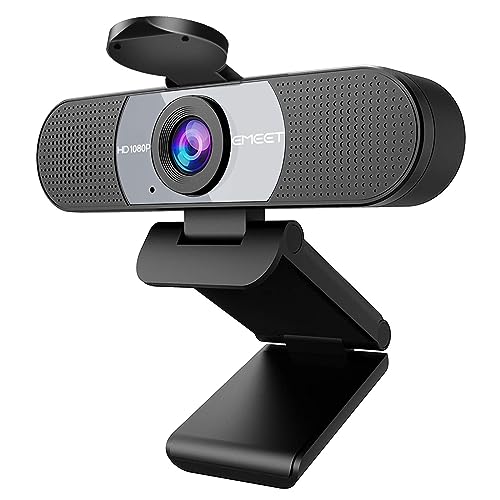
The EMEET C960 1080p webcam is designed for reliable calls with dual noise-canceling mics, a privacy cover, and a broad 90° field of view. It provides a convenient plug-and-play experience suitable for home offices, classrooms, and casual conferencing. The camera is compatible with popular calling apps and emphasizes a balanced mix of image quality and user-friendly features.
Buying Guide: Key Purchase Considerations For Video Calls
- Resolution and frame rate: For sharp, natural video, prioritize 1080p at 30fps or higher. Some models offer 4K, but ensure your computer, network, and display can benefit from it.
- Low-light performance: Auto light correction features help maintain visible detail in dim rooms. Look for RightLight or similar technology from reputable brands.
- Audio quality: Built-in microphones with noise suppression improve clarity in busy environments. Some webcams include dual mics for better coverage.
- Field of view: A wider FOV is useful for group calls or when you want to show more of your surroundings, but a narrow FOV can help keep attention on you in solo calls.
- Autofocus and stability: Autofocus helps maintain a crisp image as you move. PDAF (phase-detection) and solid lens construction support consistent focus during calls.
- Privacy and security: A physical privacy shutter or cover protects your lens when not in use and helps prevent accidental captures.
- Compatibility and software: Ensure the camera works well with Zoom, Microsoft Teams, Google Meet, and other platforms you use. Some models include companion apps for fine-tuning settings.
- Mounting flexibility: Look for clip-on compatibility with laptops, desktops, and monitors, plus a tripod-ready base for stable placement in varied setups.
- USB connection and power: Most webcams are USB-powered, but verify the port type (USB-A vs USB-C) and any driver requirements for smooth operation.
- Privacy considerations: For shared devices, privacy features and easy disconnection can reduce exposure to unwanted access.
Overall, choosing a webcam for video calls depends on your space, lighting, and the level of image detail you require. For general use, models with strong lighting correction, reliable mics, and straightforward software tend to perform best in everyday meetings and remote classes.