Finding the right camera for computer work—from video calls and streaming to casual photo capture—means weighing resolution, autofocus, connectivity, and ease of use. The following picks focus on USB webcams and compact digital cameras that pair well with PCs and Macs, offering reliable performance, simple setup, and useful features like built-in lighting, remote control, or high-resolution recording. Use this guide to compare options that fit everyday computing needs without breaking the workflow.
Summary of Selected Products
| Product | Key Benefit | Resolution / Zoom | Lighting / Extras |
|---|---|---|---|
| Angetube Streaming Webcam with Ring Light | Stellar streaming quality with adjustable lighting | 1080p @ 60fps | Ring light, remote control, 5x digital zoom |
| DEPSTECH 4K Webcam | Ultra-clear 4K image with distant conferencing flexibility | 4K @ 30fps | Remotely controlled, 3x digital zoom, dual mics |
| Angetube 962 Streaming Webcam | Compact 1080p webcam for daily use | 1080p @ 30fps | 5-level digital zoom, autofocus, low-light correction |
| CAMKORY Digital Camera | Portable travel camera with simple controls | 1080p video, up to 44MP stills | Easy start, long battery life |
| Samsung ST150F | Smart features for quick social sharing | 16.2MP image, 720p video | WiFi, PC auto-backup |
Angetube Streaming Webcam With Ring Light
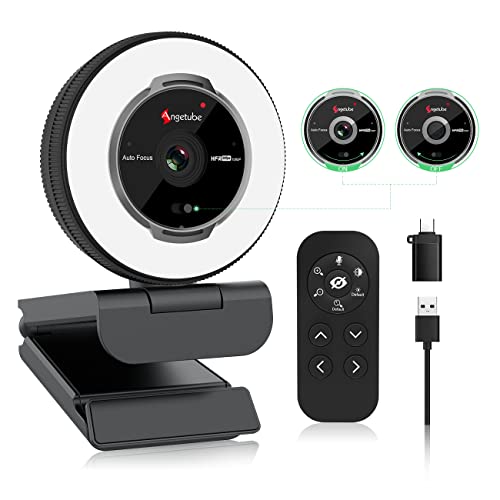
The Angetube webcam combines high-definition 1080p video at 60 frames per second with a built-in ring light to improve portrait lighting without software tweaks. It includes a rotating LED color temperature control and a stepless brightness feature to reduce glare and produce natural tones in streams or calls. A 360° omnidirectional remote lets users adjust framing and brightness from a distance, which is useful for presentations or shared screens where desk space is limited. This camera is designed for quick plug-and-play setup and broad compatibility with major streaming and video chat apps.
What to consider
- Lighting that can adapt to room conditions helps maintain clear video without extra gear.
- Remote control can improve camera operation during live sessions away from the desk.
- Ensure compatibility with your preferred software like OBS, Zoom, Teams, or Google Meet.
DEPSTECH 4K Webcam With Remote

DEPSTECH’s 4K webcam leverages a Sony sensor to deliver vivid 4K imagery at 30fps, paired with a remote for hands-off control. The model includes dual microphones for improved audio capture and a 3x digital zoom feature that helps focus on distant subjects during calls or streaming. Auto-focus and exposure adjustments keep video sharp in changing lighting, making it a robust option for larger rooms or dynamic home office setups.
What to consider
- 4K gives extra detail, but ensure your computer can handle higher bandwidth and your streaming service supports 4K.
- Remote operation can be a game-changer for presenters who move around during calls.
- Check mic quality if you frequently need clear audio in meetings.
Angetube 962 Streaming Webcam
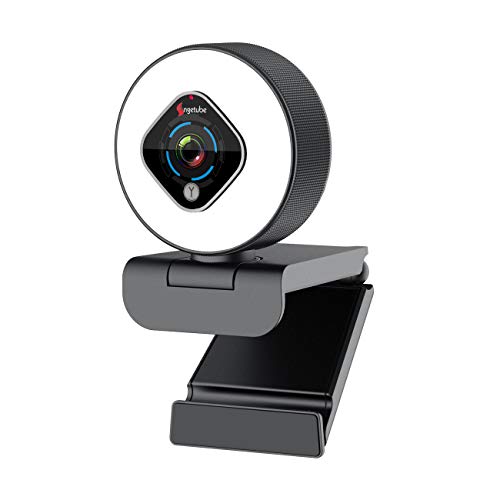
The 962 model from Angetube focuses on practical day-to-day streaming in 1080p with a 78-degree wide-angle lens and autofocus. The 3-level ring light helps illuminate faces during video calls, while the 5-level digital zoom enables tighter framing without significant loss of image quality. Built-in low-light correction improves clarity in dim rooms, making it suitable for late-evening meetings or streaming sessions.
What to consider
- Lens field of view influences how much of your desk or room appears in frame.
- Autofocus and low-light correction help maintain consistent image quality without manual adjustments.
- Consider whether the 2.0 MP CMOS sensor meets your quality expectations for your use case.
CAMKORY Digital Camera
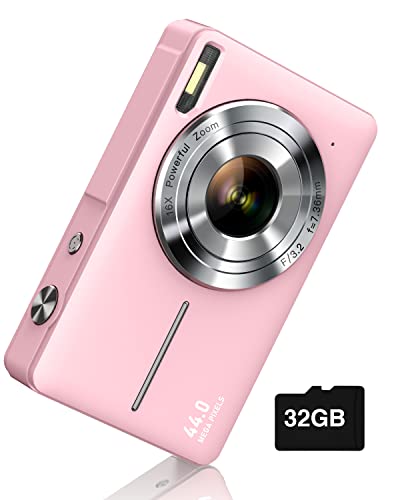
CAMKORY’s compact digital camera is designed for effortless use, capturing high-clarity FHD 1080p video and up to 44MP stills. Its simple button layout and intuitive menus are friendly for beginners and kids, making it a practical option for family use or travel. The camera is portable, with a small form factor and long battery life, which can be advantageous for on-the-go computer users who need a supplementary camera for quick uploads or video chat on the go.
What to consider
- Portability and battery life are important for mobile setups or travel vlogs.
- Consider internal storage and SD card options to avoid constant file transfer interruptions.
Samsung ST150F Smart Camera

Samsung’s ST150F offers built-in WiFi and smart features that simplify sharing and backup to a PC. The 16.2MP sensor supports direct social features, while 720p video provides a straightforward option for quickly uploading clips. This camera can be an accessible bridge between casual photography and computer use, especially for users who want quick media transfer and easy cloud or PC syncing without extra software.
What to consider
- Wireless features ease the workflow for sharing stills and videos with a computer or networked devices.
- Resolution and video quality should align with your needs for online content or conferencing.
Buying Guide: Key Purchase Considerations
When selecting a camera for computer use, consider the following angles to balance performance and price:
- Resolution and frame rate: For video calls and streaming, 1080p at 30–60fps delivers smooth results. 4K offers more detail but consumes more bandwidth and requires compatible software and hardware.
- Autofocus and lighting: Reliable autofocus minimizes manual tweaks, while integrated lighting (ring lights or front LEDs) helps maintain consistent image quality in varied rooms.
- Framing and field of view: A wide-angle lens can capture more of your workspace, but may distort backgrounds. Remote controls and high zoom give flexibility for presentations without moving the camera.
- Audio quality: Built-in mics vary in clarity. If possible, pair with an external mic for professional sound in meetings and streams.
- Connectivity and compatibility: Ensure USB-C or USB-A compatibility with your computer and confirm support for your preferred apps (Zoom, Teams, OBS, etc.).
- Portability vs. fixed setup: Portable cameras are ideal for travel or changing workspaces, while sturdier webcams suit fixed desks with permanent rigs.
- Power and storage: Batteries matter for mobile use; ensure adequate storage or easy SD card access for quick transfers to a computer.
- Price-to-value balance: Higher-resolution cameras provide clearer detail, but the key is whether the features (ring light, remote control, autofocus) deliver real benefits for your typical use case.
In sum, the best digital camera for computer work should offer reliable video quality, ease of setup, appropriate lighting options, and practical controls that fit your typical day—whether you’re logging into daily meetings, live streaming, or sharing memories during a remote session.