Creating compliant passport photos quickly and securely is essential for travelers and families. This guide highlights five digital options well-suited for producing passport-ready images, from fast photo scanners to preconfigured printers that simplify the process. Each pick is evaluated for accuracy, ease of use, and compatibility with U.S. passport standards, helping you choose the right setup for home use or on-the-go editing and printing.
Summary of chosen products
- Plustek Photo Scanner ePhoto Z300 — Fast 4×6 scanning with auto crop and deskew. Ideal for digitizing old photos and documents.
- WD 1TB My Passport — Portable storage with ransomware defense, useful for backing up passport photos and scans.
- CFS Products Smartphone Passport Photo System — Uses your phone or tablet to print passport photos via integrated printer.
- WD 5TB My Passport — High-capacity external drive for large photo archives and backups.
- CFS Products Passport Photo Printer System — Preconfigured for US Passports, ready-to-use printing solution.
Plustek Photo Scanner ePhoto Z300

The Plustek ePhoto Z300 is designed to speed up photo digitization with a 4×6 scanning workflow that crops and deskews automatically. It supports multiple photo sizes, including 3×5, 4×6, 5×7, and 8×10, as well as letter and A4 documents. Optical resolution up to 600 dpi (with selectable 300 dpi or 600 dpi) meets the clarity standards typically required for passport photo digitization. A scanning cycle of approximately 2 seconds for a 4×6 image makes it a practical choice for large digitization tasks, such as turning a family photo stack into digital files for sharing or printing. The device is designed for efficiency, often outperforming flatbed scanners by allowing batch-like insertion and rapid scanning. This makes it suitable for digitizing old photo prints along with relevant documents that may accompany passport applications.
Key features include automatic crop and deskew, ease of use, and compatibility with both Mac and PC. Users can convert thousands of photos in a single afternoon, enabling quick archiving and sharing with family and friends. The ePhoto Z300 is particularly well-suited for those who want a dedicated, fast scanner for physical passport-related photos and family albums, without relying on a larger, multi-function scanner.
WD 1TB My Passport
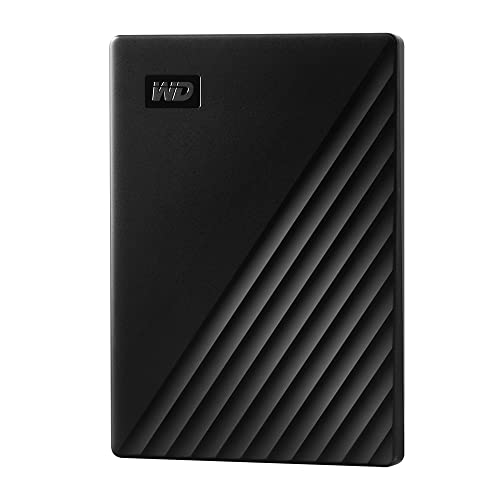
The WD 1TB My Passport offers a compact, portable storage solution to back up passport photos, scans, and related documents. It comes with defense against ransomware and device management software to help protect and organize your photo library. While not a scanner or printer itself, reliable storage is essential for any passport photo workflow, enabling secure backups and easy transfer between devices. Its USB 3.1/USB 3.0 compatibility ensures fast data transfer, which can be important when handling large batches of scanned images or printable passport photos.
Useful for travelers and households that want a dedicated drive for passport-related media, the 1TB option provides ample space for high-resolution images and documents, with a durable, slim design that travels well. For improved workflow, pair this drive with the Plustek scanner or the CFS photo systems to keep master copies and printable files organized and protected against data loss.
CFS Smartphone Passport Photo System

The CFS Smartphone Passport Photo System brings passport photo printing into a mobile-enabled workflow. It uses your existing phone or tablet to capture and print 2×2 inch passport photos, with wireless connectivity and an included printer. The system accommodates a 2×2″ passport cutter, making it a compact and straightforward option for quick, on-site passport photo generation. Since it leverages a mobile device, it can be particularly appealing for travelers who need a portable solution or for clinics and small offices seeking an affordable, self-contained setup.
Included papers and ink options help ensure the prints meet basic passport standards, and the built-in connectivity simplifies the transfer of digital images directly to the printer. This approach minimizes the need for a desktop computer and can speed up the process for individuals who prefer smartphone-based workflows, though users should verify that resulting prints comply with the precise dimensions required by the relevant passport authority.
CFS Products Passport Photo Printer System

The CFS Products Passport Photo Printer System is a preconfigured printing solution designed for US passport photos. It provides a complete setup that enables capture and printing with minimal configuration, often including printer integration and transfer options via SD card or USB cable (cables not always included). This system is designed to streamline compliance for passport photo preparation by offering a turnkey approach, reducing the guesswork involved in matching photo dimensions to official standards. It is particularly suitable for offices or families that frequently need passport photos and want a reliable, out-of-the-box workflow.
Key advantages include straightforward operation, preprogrammed settings, and the convenience of transferring images from camera to printer. While it emphasizes ease of use, users should verify printer capabilities, paper types, and cutter compatibility to ensure the final prints align with specific passport guidelines. This system complements other digitization tools by providing a ready-to-use output path for compliant passport photos.
Buying Guide
- Accuracy and standards compliance: Passport photo standards vary by country. Look for systems that offer reliable cropping, color fidelity, and the ability to meet size requirements (e.g., 2×2 inches in the U.S.).
- Workflow simplicity: Consider whether you prefer a dedicated scanner like the Plustek ePhoto Z300, a printer-driven system like the CFS options, or a mobile-first approach with smartphone printing. Each path has trade-offs in speed, space, and ease of use.
- Storage and backup: If you digitize many photos, reliable storage is essential. External drives (like WD My Passport series) provide ransomware protection and straightforward backups, keeping master files safe.
- Portability vs. power: Desktop scanners and printers deliver consistency but require space, while mobile or compact systems offer portability for travel or temporary setups.
- Cost and scalability: Assess upfront costs (scanner, printer, or combined systems) and future needs. A modular approach lets you upgrade one component at a time as requirements evolve.
- Software and compatibility: Ensure the device is compatible with your operating system (Mac/PC), image formats (JPG, PNG, TIFF), and any required transfer methods (SD card, USB, or wireless).
- Security and privacy: When handling biometric data, consider devices with secure handling, local processing, and reliable backups to minimize exposure of sensitive information.
- Future-proofing: If you anticipate higher volumes or different passport standards, pick solutions that offer firmware updates, scalable storage, or optional accessories (cutter, ink, or media) to extend usefulness.
In selecting the right setup, balance the need for speed and accuracy with space, budget, and the preferred workflow. For many households, a combined approach—using a fast scanner for digitization and a printer-based system for outputs—strikes an effective balance between convenience and compliance. For professionals handling numerous passport photos, turnkey systems with preconfigured settings may reduce potential errors and save time.