Old film negatives and slides can hold priceless memories. The right negative scanner makes it easy to convert and preserve them as high-quality digital files. This guide highlights top options that balance image quality, ease of use, and compatibility with 35mm, 126, 110, and slide formats. Below you’ll find five standout scanners, followed by a practical buying guide to help you choose the best fit for your collection.
Summary Table of Chosen Products
| Product | Brand | Key Feature | Format Support |
|---|---|---|---|
| KODAK Slide N SCAN | KODAK | 5” LCD, 22MP JPEGs, continuous loading | 135, 126, 110 |
| HP FilmScan | HP | 5” touch screen, SD card direct save | 135, 110, 126 |
| Magnasonic FS71 | Magnasonic | 24MP output, HDMI viewing | 35mm, 126, 110, Super 8, slides |
| Kodak Slide N Scan Max | KODAK | 7” LCD, straightforward loading | 135, 110, 126 |
| ClearClick QuickConvert 2.0 | ClearClick | 2–3 second scans, no computer needed | 4×6 and smaller (photos), slides, negatives |
KODAK Slide N SCAN Film & Slide Scanner
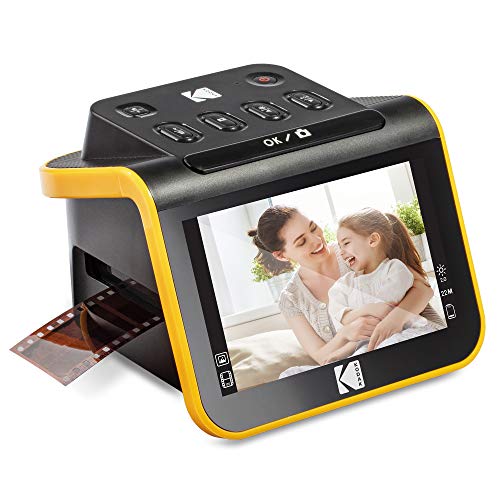
The Kodak Slide N SCAN is designed for quick digitization of color and black-and-white negatives in 135, 110, and 126 formats as well as 50mm slides. It features a 5-inch LCD display for direct viewing and editing, plus a ready-to-use tray system for fast loading. Output files are saved as JPEGs to an SD card (not included), making it easy to share memories with family and friends. This model emphasizes continuous loading, helping you scan longer reels with less interruption. Included adapters support a range of film sizes.
Pros: Large display for immediate previews, easy loading, direct SD card workflow. Cons: File management and color accuracy can vary depending on the film condition; some users may prefer higher bit depth options.
HP FilmScan Touch Screen Film & Slide Scanner
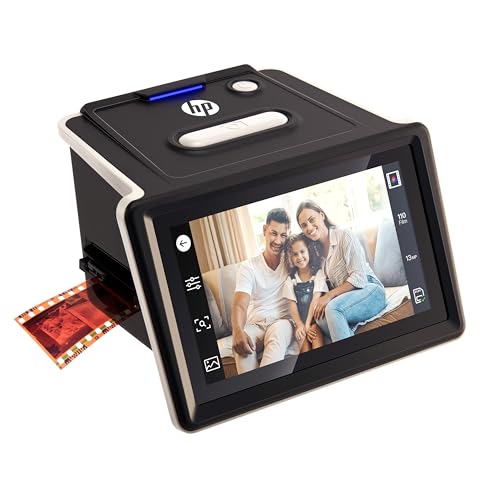
The HP FilmScan combines a user-friendly 5-inch touch screen with direct SD card or computer saves. It supports color and black-and-white negatives and slides in 135, 110, and 126 formats, including strips and standard 50mm frames for slides. Its gallery display mode makes it easy to create a rotating slideshow for family viewing. The quick-feed loading tray supports continuous input, which helps if you’re converting multiple reels in one sitting.
Pros: Intuitive touch controls, direct-to-card workflow, gallery mode. Cons: Some users report limited color calibration options; HDMI output availability may vary by model.
Magnasonic All-in-One 24MP Film Scanner
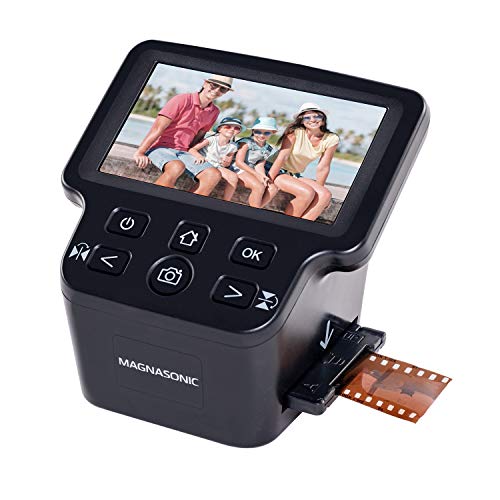
Magnasonic’s FS71 all-in-one scanner handles 35mm, 126, 110, and Super 8 film as well as 135/126/110 slides. It delivers 24MP-equivalent digital files and includes a 5-inch LCD for on-device review. Built-in memory and an SD card slot enable easy saving without extra hardware, while HDMI output lets you view scanned images on a larger screen. It is a compact choice for those who want a versatile, one-device solution.
Pros: High-resolution output, multiple format support, convenient viewing options. Cons: Built-in memory is modest, so larger collections benefit from bigger SD cards; some users want more advanced color controls.
Kodak Slide N Scan Max Digital Film Scanner

Kodak’s Slide N Scan Max offers a larger 7” LCD display with gallery mode for real-time previews, making it easy to curate and edit on the device. It can convert 13/22MP digital files from 135, 110, and 126 films and 50mm slides, with a convenient easy-load tray system and adapters for multiple formats. It’s ideal when you need a bigger screen for detailed checks and sharing with others in person.
Pros: Bigger display aids in precise cropping and color evaluation; robust loading system; broad format support. Cons: The larger footprint may require more desk space; some users may need more modern connectivity options.
ClearClick QuickConvert 2.0 Photo, Slide, and Negative Scanner
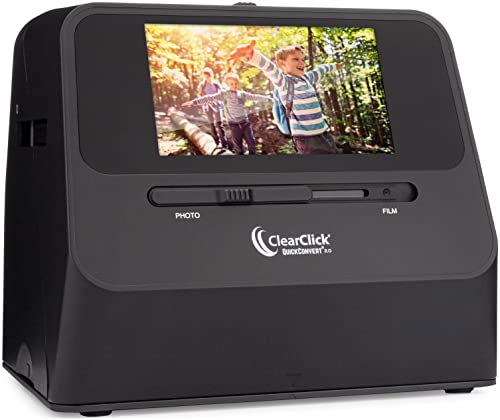
ClearClick’s QuickConvert 2.0 is designed for quick, standalone scanning. It supports 4×6 photos and film formats up to 35mm, 110, and 126, with a focus on fast conversion times. It saves JPEGs to an SD card, and testing shows scans in high detail with interpolation up to 22MP. A built-in rechargeable battery enables cord-free scanning, while the 5-inch LCD provides instant previews. This model is best for occasional use or travelers who need portability.
Pros: No computer required, fast scan times, portable design. Cons: Limited batch scanning capability; some users may want higher native resolution than 14MP with interpolation.
DigitConvert Mobile Film Scanner

DigitConvert’s mobile scanner is designed for on-the-go digitization of 35mm slides and negatives. It emphasizes portability and a companion app workflow, making it suitable for travelers or hobbyists who want to scan without a full setup. It supports most smartphones and offers a simple path to digital files via the provided app ecosystem.
Pros: Highly portable; app-assisted workflow; simple setup. Cons: May require a smartphone for full functionality; resolution and color options are more limited than desktop-heavy scanners.
Buying Guide: Key Considerations For Selecting A Negative Scanner
- Format compatibility: Determine which formats you actually own (35mm, 126, 110, slides, Super 8). Some units offer broader support with included adapters, while others excel at a subset of formats.
- Display and editing: A larger built-in LCD helps with in-device previews and basic edits. If you plan to edit extensively, consider scanners with robust software options or easy export to a computer.
- Storage workflow: Check whether the device saves directly to SD cards or requires a computer. Direct-to-card setups are more portable and reduce steps in the workflow.
- Resolution and color accuracy: Look for higher native resolution (MP or PPI) and reliable color processing. Interpolated megapixels can help, but native quality affects final results.
- Loading efficiency: Fast-loading trays or continuous feed systems save time on large batches. A cleaning kit and included adapters add value if you’re digitizing varied film.
- Portability: If you need to scan while traveling or in small spaces, consider a compact model with battery power. For home use, a larger display and HDMI output can be advantageous.
- Future-proofing: While most scanners cover common formats, firmware updates and accessory availability can impact long-term usefulness. Check brand support and community feedback.
When choosing, align features with your collection size, desired output quality, and intended use (archival preservation vs. quick sharing). If you have thousands of slides, a model with fast continuous loading and a larger display will likely save time. For casual use or travel, a portable, computer-free option may be preferable. Always verify the label on the device for exact format support and whether adapters are included for your film types.