For quick, reliable video quality without fiddling with drivers, plug-and-play cameras are the go-to choice. This guide highlights five easy-to-use webcams and meeting cameras that work with common video apps and platforms. Each option features simple setup, built-in audio, and solid image quality to support work, study, and streaming from anywhere.
| Product | Brand | Key Feature |
|---|---|---|
| Shcngqio 1080P HD Webcam | Shcngqio | 1080p clarity, wide-angle, noise-canceling mic |
| NexiGo N60 1080P Webcam | NexiGo | 1080p, adjustable FOV up to 110°, software control |
| EMEET C960 1080P Webcam | EMEET | Dual mics, privacy cover, auto low-light |
| EMEET 1080P Webcam (C960 variant) | EMEET | Two mics, privacy cover, sturdy build |
| Owl Labs Meeting Owl 3 | Owl Labs | 360° video & audio, speaker-tracking |
Below are five plug-and-play cameras chosen for quick setup, broad compatibility, and reliable performance across typical American home offices, classrooms, and meeting rooms.
Shcngqio 1080P HD Webcam With Microphone

The Shcngqio TWC29 delivers 1080p Full HD video with a wide-angle lens and 30fps for smooth streaming and calls. It includes a noise-cancelling microphone to reduce background chatter and automatic light correction to adapt to varying lighting. Plug-and-play USB connectivity supports laptops, desktops, and Macs, making it suitable for Zoom, Skype, and streaming. Ideal for online teaching, virtual meetings, and content creation where quick setup matters.
- 1080P HD clarity with a wide-angle field of view
- Noise-reducing built-in microphone
- Automatic light correction for variable lighting
NexiGo N60 1080P Webcam

The NexiGo N60 offers full 1080p HD video at 30fps with a wide 110° field of view. A fixed focal length ensures a clear image at typical indoor distances, while the included software lets you adjust FOV and exposure. Its built-in microphone reduces ambient noise for clearer voice capture. This plug-and-play camera is suitable for professional calls, online classes, and streaming sessions.
- 1080p resolution, up to 30fps
- Adjustable FOV with software control
- Built-in noise-cancelling microphone
EMEET C960 1080P Webcam

The EMEET C960 webcam features dual noise-reduction microphones and a privacy cover, with a 90° FOV and low-light optimization. Its plug-and-play USB setup makes it easy to use with Zoom, Teams, FaceTime, and other platforms. The camera is optimized for clear voice capture and a crisp, balanced image in varied lighting environments, ideal for home offices and classrooms.
- Full HD 1080P with privacy cover
- Two noise-reducing microphones
- Low-light correction for better exposure
EMEET 1080P Web Camera With 2 Mics
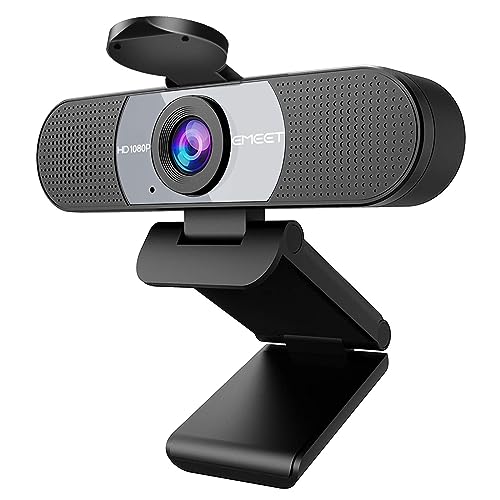
This EMEET model pairs 1080p video with two built-in omnidirectional microphones to filter out background noise and deliver clearer speech. It includes a privacy cover and is designed for easy plug-and-play use with Zoom, Skype, and YouTube. The camera aims to balance color and brightness across typical indoor lighting, making it a dependable option for home offices and classrooms.
- 1080P video with privacy cover
- Dual noise-reduction microphones
- Low-light balancing for clearer images
Owl Labs Meeting Owl 3

The Meeting Owl 3 is a unique all-in-one conference camera that streams 360-degree video in 1080p with 360-degree audio up to 18 feet. It uses Owl Intelligence to focus on the active speaker, enhancing participation in hybrid meetings. Setup is plug-and-play via USB, with management options for IT admins. It is designed for larger rooms and collaboration scenarios in Microsoft Teams, Zoom, or Google Meet.
- 360° video and audio with speaker-tracking
- Plug-and-play USB setup
- Designed for hybrid meetings and large rooms
Buying Guide
Key considerations when choosing a plug-and-play camera:
-
<liVideo quality: Look for 1080p for sharp images and 30fps for smooth motion. Consider HDR and low-light performance if your lighting is variable.
<liField of view: A wider FOV (90° to 110° or more) captures more of the scene, which helps for group calls or desk setups. Adjustable FOV can be valuable for different uses.
<liMicrophones: Built-in noise reduction or dual-mic arrays improve voice clarity in noisy environments. Check if an external mic is needed for larger spaces.
<liPrivacy features: A physical privacy cover helps protect your lens when not in use and is common on modern webcams.
<liSoftware compatibility: Ensure plug-and-play operation with major platforms (Zoom, Teams, Skype, YouTube, OBS) and check if drivers or extra software are optional.
<liMounting and placement: Consider laptop, monitor, or tripod compatibility. Some cameras offer flexible mounting or 360-degree room coverage (Meeting Owl 3).
<liRoom size and usage: For small desks, a standard webcam suffices; for conference rooms, a 360-degree solution or a wide-angle camera with robust audio is preferable.
Across the options, users should balance image quality, ease of setup, and room requirements. For personal work or learning, a compact webcam with a privacy cover and quiet mic is typically sufficient. For remote work in larger spaces or conference scenarios, a 360-degree camera with speaker tracking may deliver the most value, though at a higher price point.