For modern American workspaces, reliable USB cameras are essential for clear video and crisp audio in meetings. This guide highlights top USB conference room cameras, covering all-in-one systems, AI auto-tracking, wide-angle designs, and professional PTZ options. Each pick offers solid video quality, easy setup, and compatibility with common platforms like Zoom and Teams. Use the buying guide to compare features such as field of view, zoom, audio pickup, and connection options to find the right fit for your room size and collaboration needs.
| Product | Brand | Video Quality | Best For |
|---|---|---|---|
| TONGVEO All-in-One Conference Room System | TONGVEO | 1080p @ 60fps | Small-to-medium rooms, clear all-in-one setup |
| TONGVEO 4K Conference Room System | TONGVEO | 4K UHD @ 30fps | Large rooms, AI auto-tracking |
| Logitech MeetUp | Logitech | 4K/1080p/720p options | Small huddle rooms, wide coverage |
| Pyle 4K USB Conference Camera | Pyle | 4K @ 30fps | Remote meetings, easy plug-and-play |
| Logitech PTZ Pro 2 | Logitech | 1080p | Medium-to-large conference rooms |
TONGVEO All-in-One Conference Room System

The TONGVEO all-in-one system combines a full HD 1080p conference camera with a Bluetooth speakerphone for a compact, integrated unit. It supports simultaneous video and audio outputs via HDMI and USB 3.0, with a 350° horizontal and 180° vertical range, delivering up to 16.4 feet of microphone pickup. This setup is ideal for small to medium rooms seeking an easy, driver-free solution for professional meetings.
TONGVEO 4K Conference Room System
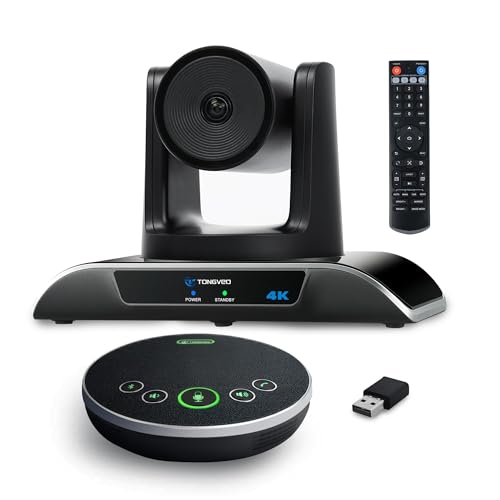
This 4K AI auto-tracking system features a 6-gesture control suite, 5X digital zoom, and a 120° wide FOV. The camera supports 350° horizontal and 180° vertical movement and can be controlled by remote or gestures. It outputs via USB 3.0 and HDMI and includes a professional speakerphone with up to 6-8 hours of battery life, suitable for larger, dynamic meetings or live streams.
j5create 360 Degree Meeting Webcam
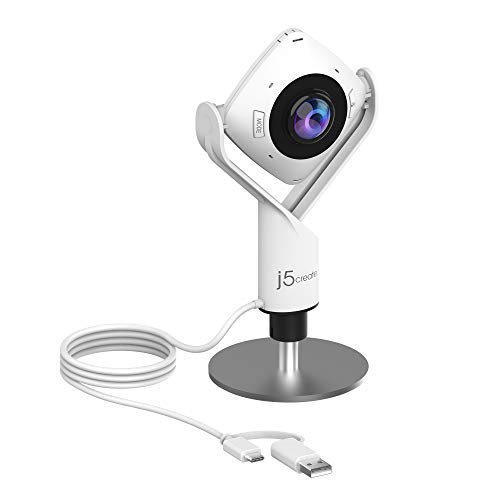
Designed for collaborative spaces, the JVCU360 offers 360° coverage with a built-in omnidirectional microphone and USB-C connectivity. It provides flexible viewing angles and reliable Full HD 1080p video, making it a practical option for small team rooms or online classes requiring broad visual reach.
Pyle 4K USB Conference Camera

Pyle’s 4K conference camera emphasizes easy setup with plug-and-play USB connectivity, 120° field of view, and AI-assisted automatic framing. The system also includes a MEMS microphone array for clear audio pickup, making it suitable for hybrid meetings and presentations in compact to mid-sized spaces.
Logitech MeetUp
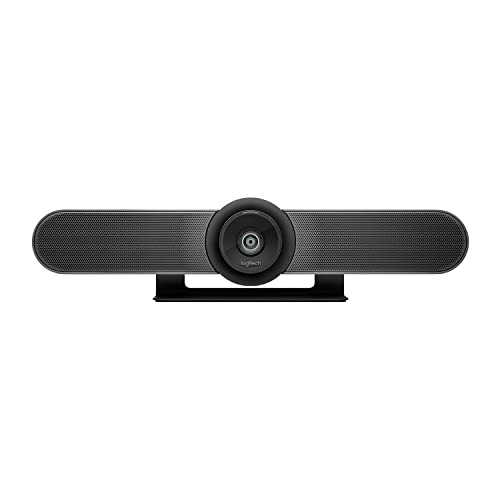
MeetUp is a compact, all-in-one conference camera designed for small rooms. It features a 120° field of view, Ultra HD 4K sensor options, and beamforming mics capable of capturing voices within several meters. The setup is straightforward for quick deployments in huddle rooms or small team spaces.
TONGVEO 4K PTZ Conference Room System

This 4K PTZ system offers 20x optical zoom, AI auto-tracking, and multiple outputs including HDMI, USB 3.0, and LAN. The Bluetooth speakerphone and built-in mics enable full duplex audio for large remote meetings and live-streaming scenarios, with support for IP streaming and RTSP/RTMP capabilities.
Buying Guide
Key purchase considerations help compare different USB conference room cameras and select the best fit for your space:
- Room size and coverage: Choose cameras with the appropriate field of view and speaker pickup range. Wide-angle designs are ideal for small rooms, while PTZ with auto-tracking suits larger spaces.
- Video resolution and frame rate: 1080p at 60fps delivers smooth motion, while 4K offers greater detail for large displays. Consider monitoring bandwidth and display capabilities.
- Audio quality and pickup: Built-in mics, beamforming arrays, and echo cancellation affect clarity. For rooms with multiple participants, ensure sufficient pickup range or add external mics.
- Connectivity and compatibility: USB 3.0/USB-C and HDMI options support easy plug-and-play on most conferencing platforms (Zoom, Teams, Meet). Check room hardware compatibility and drivers.
- AI features and auto-tracking: AI tracking can keep speakers centered in view, useful for dynamic discussions. Evaluate latency and reliability in real-world rooms.
- Power and portability: All-in-one solutions reduce cable clutter, while PTZ kits may offer more customization. Battery-powered options can aid rooms with limited power outlets.
- Integration and future-proofing: Consider software updates, remote control options, gesture controls, and compatibility with streaming and recording workflows.
- Cost of ownership: Balance initial cost with features like auto-framing, zoom levels, and mic arrays. Factor in potential upgrade needs for larger rooms.
Overall, the best choice depends on room size, collaboration requirements, and preferred setup simplicity. For compact spaces, all-in-one designs with integrated speakers can streamline deployment. For larger conference rooms, PTZ or AI-tracking systems provide broader coverage and more flexibility for live streaming and recordings. Each option on this list offers a balance of video clarity, audio quality, and ease of use across typical business meeting workflows.