Finding a kid-friendly camera that helps young creators share their world on YouTube can be challenging. The right device balances ease of use, durable design, and workable video quality. The following selections are designed for kids and beginners while offering features that suit family content creation. Below is a concise overview of five top options, followed by detailed sections to help you compare style, performance, and value.
| Product | Brand | Video Resolution | Key Feature | Included Perks |
|---|---|---|---|---|
| Rawiemy Video Camera Camcorder | Rawiemy | 1080p / 4K (20fps) | 270° LCD, 18x Zoom | 32GB SD Card, 2 Batteries |
| Rawiemy Video Camera Camcorder | Rawiemy | 4K | External Microphone | 32GB SD Card, 2 Batteries |
| VTech KidiZoom Creator Cam | VTech | HD | Green Screen Kit | Selfie stick/tripod, 20+ animated backgrounds |
| Weochi Video Camera | Weochi | 1080p | Live Streaming / WebCam | Time-lapse, Microphone |
| ISHARE 4K Video Camera | ISHARE | 4K | 270° Flip Screen | External Mic, 2 Batteries |
The following sections expand on each product, focusing on practical details like ease of use, durability, and how they support kid-friendly YouTube content. Each entry includes a direct, clickable link to the Amazon listing for quick reference.
Rawiemy FHD 1080P Camcorder With 18X Zoom
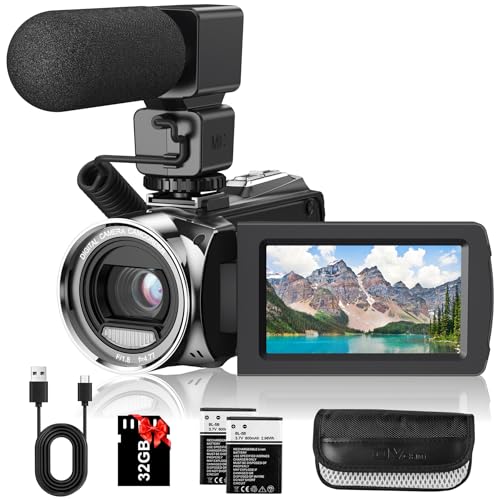
The Rawiemy FHD camcorder targets beginner shooters with a friendly feature set. It records 1080p video at up to 30fps and captures 36MP stills, suitable for family memories and simple YouTube uploads. The device includes a 3.0-inch LCD that tilts 270 degrees, aiding self-recorded vlogs and group shots. An 18x digital zoom offers basic framing adjustments without external gear. The package typically includes a 32GB SD card and two rechargeable batteries, reducing interruptions during filming. Overall, it provides a compact, travel-friendly option for budding creators.
Key strengths for young creators include straightforward controls, a built-in microphone option, and a lightweight build that’s easy to handle. The camcorder supports time-lapse and pause features, which help when recording longer scenes or teaching moments without starting a new file. If durability and ease of use are priorities, this model can be a strong choice for family projects and school assignments.
Rawiemy 4K Camcorder For YouTube
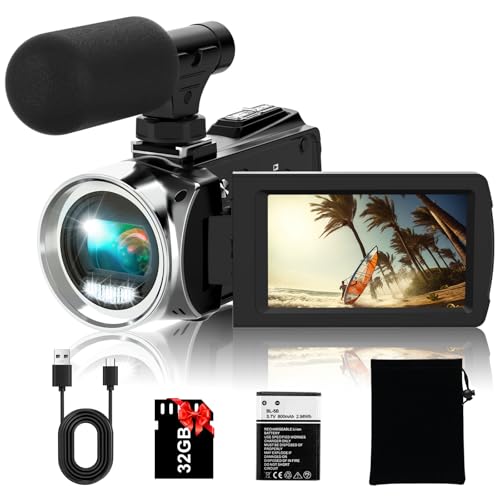
This model expands to 4K video at a modest frame rate, with the same 36MP image capability referenced in the 1080p variant. It uses a 3.0-inch tilt screen and includes a 32GB SD card along with a 1050mAh battery. The external microphone input boosts audio clarity for vlogs or family projects, and the camera supports long recording sessions with continued charge options. It’s described as suitable for kids and beginners rather than professional use, making it a good bridge device for young creators exploring higher-resolution footage.
Notable considerations include the balance between higher resolution and practical battery life, along with features like loop recording and various shooting modes. The compact form factor remains a selling point for young users who want freedom to roam and film without heavy gear. This camera is best for families who want a step up from basic models toward more polished YouTube-style videos, while still keeping handling simple enough for kids.
VTech KidiZoom Creator Cam (Green Screen Kit)

The VTech KidiZoom Creator Cam focuses on kid-friendly storytelling features, including a built-in microphone and an assortment of creative effects. The kit includes a green screen backdrop and more than 20 animated backgrounds, enabling playful themes like space adventures or dinosaur chases. On-device editing, a simple tripod or table-top stand, and easy sharing options support young creators who are building a channel or posting short videos for friends and family. The design emphasizes safety and age-appropriate features, with a comfortable grip and straightforward controls.
For younger users, the kit’s educational angle—creativity tools, backgrounds, and time-lapse options—helps develop basic filming and editing skills. The green screen element adds a storytelling dimension that can make projects more engaging for viewers. Consider this model if your child enjoys themed content and creative performances, and you want an all-in-one package that minimizes extra accessories.
Weochi 1080P Camcorder With Live Streaming
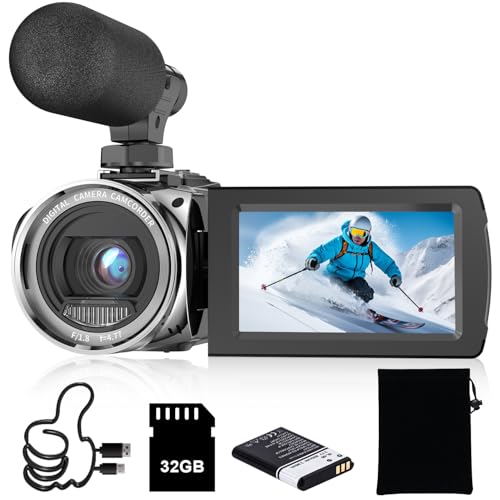
The Weochi camera combines 1080p video with 48MP image capability and an IPS 3.0-inch screen. Its 18x digital zoom supports closer framing for dynamic scenes, while built-in microphone and fill light help improve audio and lighting in casual settings. A standout feature is its webcam mode, enabling streaming or video calls when connected via USB. The device is designed for beginners and students, with time-lapse and pause functions that assist in editing and scene pacing. Two included batteries help extend recording time for longer projects.
From a family perspective, this model suits learners who want to share content without investing in separate lighting or external mics. The webcam capability adds flexibility for live sessions, virtual classroom projects, or collaborative videos with friends. Users should note that while it offers strong entry-level features, it isn’t a professional-grade tool, making it ideal for practice and regular kid-friendly uploads.
ISHARE 4K Camcorder With 270° Screen
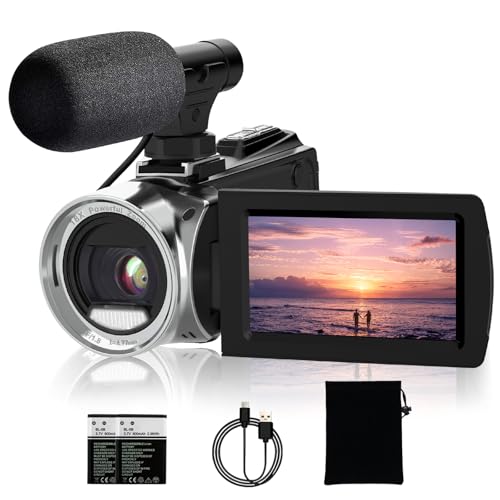
The ISHARE model pushes 4K recording as a key selling point, paired with 18x digital zoom and a 270° flip screen. It includes an external microphone and two 1050mAh rechargeable batteries to support longer sessions. The camera’s 8.0 MP CMOS sensor helps capture crisp footage, while the adjustable screen enables flexible shooting angles for selfies or group shots. A notable feature is the 4K capability in a kid-friendly form factor, aimed at families exploring more advanced video content without overwhelming complexity.
Ideal for kids who want to experiment with higher-resolution footage and more professional-looking results, this camera balances advanced features with approachable controls. When evaluating, consider whether your child will benefit from higher detail and the ability to live stream or conduct basic webcam sessions. Battery life and ease of use remain critical factors for sustained family filming sessions.
ALSONE 1080P Camcorder For YouTube
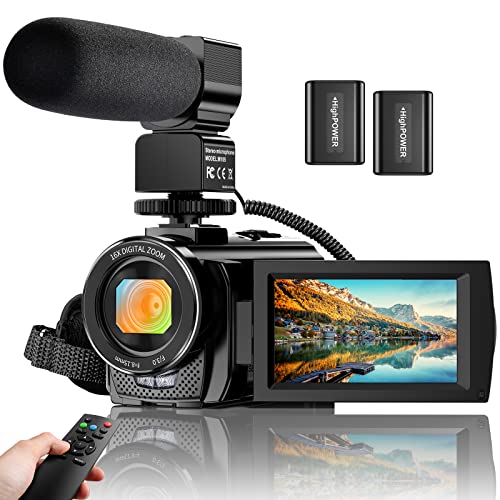
This ALSONE model targets beginners with basic 1080p recording at 30fps. It supports 60fps in 720p for smoother motion, a useful feature for action-oriented footage or sports clips. The package includes a built-in and external microphone, improving sound capture for dialogues and voiceovers. A remote control enables hands-free shooting, which can be helpful for younger creators working alone or with minimal supervision. In addition, the camcorder offers a pause function and data stamping for simple editing workflows later on.
For families, the remote and microphone features help young creators narrate or explain scenes while filming. The camera’s user-friendly interface and simple editing options support short-form YouTube content, school projects, and family storytelling. While not the most feature-rich option, it delivers dependable performance in a compact package, ideal for beginners learning video basics.
Yusuuo Instant Print Camera For Kids

The Yusuuo instant print camera adds a tangible twist to kid-friendly filming. In addition to 1080P video and 32GB SD card support, this device prints photos instantly, enabling kids to create physical keepsakes of their YouTube moments. The camera design emphasizes safety and kid-friendly materials, reducing mess and risk. It comes with a variety of creative features including filters, stickers, and preloaded editing options to encourage imaginative storytelling. The instant print feature can be a fun way to prompt ideas for video content, thumbnails, and captions.
Consider this option if your child enjoys immediate, shareable outputs and hands-on activities. The blend of video, photo, and instant prints supports a multi-modal storytelling approach, which can boost engagement on a kid’s channel. However, parents should monitor screen time and ensure that printing remains a controlled, safe activity in line with content guidelines.
Buying Guide: Key Purchase Considerations
- Video quality vs. age and use case: For younger kids, 720p–1080p is typically sufficient for fun clips, while 4K is more demanding in terms of editing and battery life.
- Durability and design: A rugged build, simple controls, and a comfortable grip help kids handle cameras during play and outdoor shoots.
- Audio quality: A built-in mic is basic; consider models with external mic support for clearer voice capture in noisy environments.
- Battery life and charging options: Look for at least one spare battery and the ability to charge while recording, which reduces interruptions.
- Storage and expandability: A properly sized SD card ensures you can shoot longer sessions without swapping cards frequently.
- Live streaming capability: If your child wants to stream, a webcam mode or easy USB connection can be valuable, but ensure privacy settings are reviewed.
- Editing and sharing: Built-in editing tools or simple app-assisted workflows help kids publish content confidently and safely.
- Safety and parental controls: Favor cameras with straightforward parental guidance, screen-time boundaries, and content-safety features.
- Case for growth: If a child progresses to more ambitious projects, consider a camera that scales with features like higher resolution or more robust audio options.
In evaluating these options, balance budget with long-term learning goals. Some models emphasize immediate, nonstop play and easy outputs, while others push higher resolution and creative features suitable for ambitious projects. Prioritize devices that encourage safe, creative exploration, straightforward editing, and dependable performance for entry-level YouTube content creation.